- 27 Aug 2026
- 1 posts
The rise of hybrid work and compact home layouts has blurred the line between living spaces and workspaces. For many remote professionals, the kitchen table or dining nook doubles as a daily workstation. When setting up a home office, it is tempting to pull up a stylish dining chair rather than investing in a bulky, utilitarian desk chair.
After all, modern dining chairs often look far better in a curated living space than industrial mesh seating. But can a dining chair truly support eight hours of daily productivity without compromising your spinal health?
Here is an in-depth breakdown of how dining chairs and ergonomic office chairs compare in design, posture support, long-term durability, and overall physical wellness.
The Fundamental Difference in Purpose and Design
To understand why chairs perform differently, it helps to examine what each was engineered to do.
- Dining Chairs: Designed for short-to-medium duration seating (typically 45 to 90 minutes). Their primary design parameters prioritize visual harmony with dining tables, aesthetic materials (velvet, wood, bouclé, molded plastic), and easy stowability around a table perimeter.
- Ergonomic Office Chairs: Engineered specifically for static, prolonged tasks (6 to 10+ hours). The design prioritizes biomechanical alignment, weight distribution, pressure relief, and dynamic user movement.
While both pieces of furniture provide a surface to sit on, their mechanics address entirely different physical needs.
Key Comparison: Biomechanics and Features
| Feature | Ergonomic Office Chair | Standard Dining Chair | Impact on Daily Work |
| Lumbar Support | Adjustable depth and height contour | Flat or minimally curved rigid backrest | Lacking lumbar support flattens the natural lordotic curve of the lower spine, leading to muscle fatigue and disc strain. |
| Seat Height Adjustability | Pneumatic cylinder (matches desk height & leg length) | Fixed height (standard 17–19 inches) | Fixed heights force users to either elevate their shoulders or dangle feet, impeding healthy blood circulation. |
| Cushioning & Pressure Relief | High-density molded foam or suspended mesh with waterfall seat edge | Decorative foam pad or solid wood/plastic | Waterfall edges reduce pressure behind the knees, preventing numbness and stiffness in the lower legs. |
| Recline & Tilt Tension | Multi-point recline and synchronized tilt mechanisms | Fixed 90° to 100° upright angle | Static upright postures place continuous pressure on the lumbar discs; reclining redistributes body weight to the chair back. |
| Armrests | 2D, 3D, or 4D adjustable arm supports | Often armless, or fixed rigid decorative arms | Adjustable armrests offload tension from the trapezius and shoulder girdle while typing. |
The Physical Toll of Working from a Dining Chair
Using a rigid, non-adjustable dining chair for a 40-hour workweek frequently causes subtle, cumulative musculoskeletal issues:
1. The "Perched" Posture and Spinal Flattening
A standard dining chair lacks proactive lumbar support. Over an extended workday, the core and spinal stabilizer muscles fatigue. As muscles tire, the pelvis naturally tilts backward, flattening the natural inward curve of the lower back (lumbar lordosis). This leads to a classic slouched or "C-spine" posture, placing up to 40% more compressive load on intervertebral discs than standing or supported sitting.
2. Shoulder and Neck Elevation
Because dining chair seat heights are fixed, they rarely align with the standard desk height (28–30 inches). If the chair is too low, you must elevate your shoulders and flare your elbows to type on a keyboard. This constant contraction leads to chronic tension headaches, tight upper trapezius muscles, and cervical spine stiffness.
3. Reduced Lower-Body Circulation
Most dining chairs feature flat, hard front edges. When you sit upright for several hours, this rigid edge compresses the popliteal region—the soft tissue behind the knees. This compression restricts venous blood return, often resulting in heavy legs, tingling feet, or swelling by mid-afternoon.
When Can a Dining Chair Work?
A dining chair is not automatically off-limits for every scenario. It can be a viable option if:
- Your Daily Desk Time Is Short: You work from home only 1–2 days a week or use your computer for 1–2 hours per session.
- You Use a Sit-Stand Desk: Alternating between 30 minutes of standing and 30 minutes of sitting significantly reduces the negative impacts of a static chair.
- You Add Ergonomic Accessories: Pairing a high-density memory foam seat cushion with an external lumbar roll can bridge the gap between aesthetics and basic postural support.
Finding the Balance: Hybrid Seating Solutions
If you want the ergonomic benefits of an office chair without the corporate, plastic aesthetic dominating your living space, consider these alternatives:
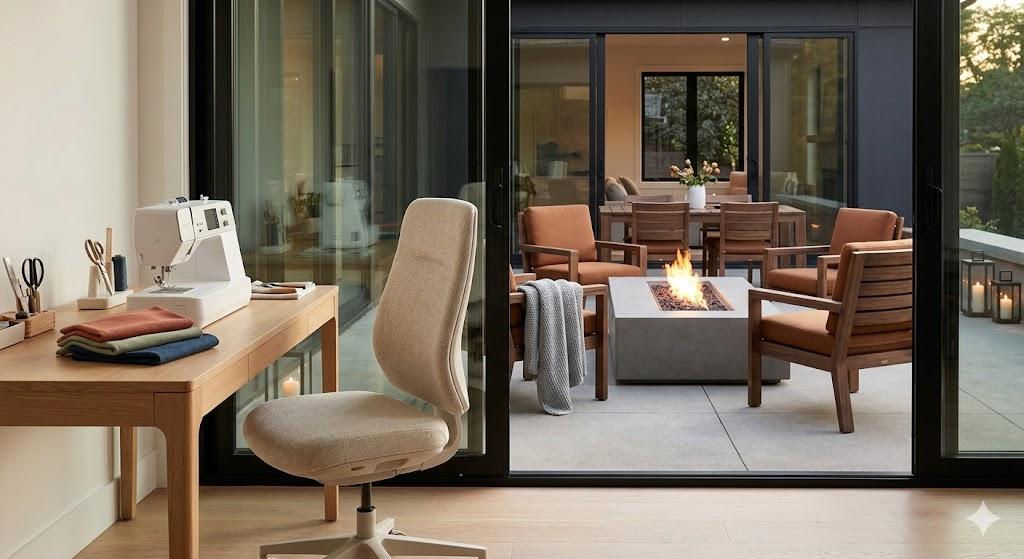
- Upholstered Ergonomic Task Chairs: Many modern manufacturers now produce task chairs wrapped in rich woven fabrics, warm neutrals, or supple faux leathers with hidden ergonomic controls.
- Minimalist Conference-Style Chairs: Sleek, low-profile mid-century swivel chairs (such as ribbed leather task chairs) offer a clean profile, smooth mobility, and height adjustability without looking like technical gaming or cubicle seats.
- Dedicated Activity Zones: Keep your dining area purely for meals and relaxation, and carve out a dedicated, small nook with a compact, fully adjustable ergonomic task chair that easily tucks away under a narrow floating desk.
The Verdict
While a beautiful dining chair enhances the visual flow of a room, it lacks the biomechanical support required for full-time desk work.
If your daily routine involves 6 to 8 hours behind a laptop, an adjustable ergonomic chair is a critical investment in your posture, comfort, and long-term spinal health. For part-time tasks or blended living spaces, an aesthetically refined task chair or an accessorized dining seat offers the ideal compromise between function and style.