- 16 Nov 2025
- 2 posts
A fast and stable internet connection has become a basic need in Pakistan. Whether you’re streaming videos, playing online games, attending online classes, or running a business from home, your experience depends on the quality of your WiFi or broadband connection. This is where a Pakistan Internet Speed Test becomes essential. It helps you measure the performance of your PTCL, Fiber, or mobile data connection in just a few seconds.
In this detailed guide, you will learn how to test your internet speed, understand your results, and improve your connection quality. You will also discover the best tools—including My Internet Speed Test—that give accurate and real-time testing results.
What Is an Internet Speed Test?
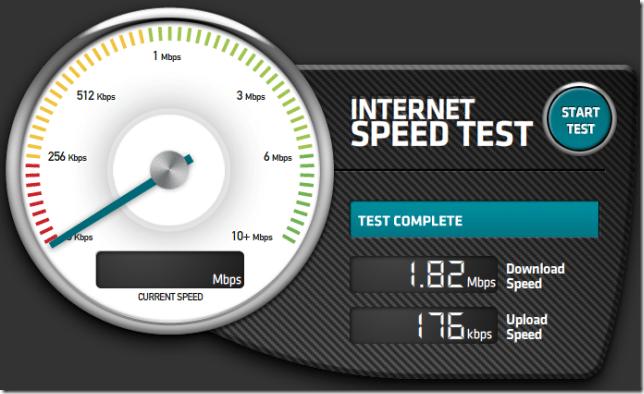
An internet speed test measures how fast your internet connection can upload and download data. It also checks your latency (ping), which affects how smoothly your apps and websites run.
A standard test shows:
- Download Speed: How fast you receive data
- Upload Speed: How fast you send data
- Ping (Latency): Response time between your device and the server
- Jitter: Stability of your connection
These metrics help you understand whether your WiFi or broadband connection is performing as it should.
Why Internet Speed Testing Matters in Pakistan
In Pakistan, the quality of internet services can vary depending on location, service provider, and network congestion. Testing your speed helps you:
✔ Check if you’re getting the speed you paid for
Sometimes, ISPs like PTCL, StormFiber, Nayatel, or Optix advertise higher speeds but deliver less. A quick test confirms your actual performance.
✔ Diagnose slow WiFi issues
Low speed may be caused by weak WiFi signals, outdated routers, or congestion. Testing helps identify the root cause.
✔ Improve online gaming and streaming
Gamers, YouTubers, and streamers rely heavily on low ping and stable speeds.
✔ Understand mobile network performance
Jazz, Zong, Telenor, and Ufone offer different speeds across cities. A speed test shows which network performs best in your area.
Best Ways to Test Internet Speed in Pakistan
To test your speed accurately, use a reliable online testing platform. One of the simplest tools is My Internet Speed Test, which instantly checks your speed with a single click.
How to Test Your Speed:
- Connect your device to your WiFi or data
- Close extra tabs and apps
- Open a trusted testing site
- Click Start Test
- View your download, upload, and ping results
The tool is free and works on all devices.
Top Benefits of Using My Internet Speed Test
Using a reliable speed checker like My Internet Speed Test gives accurate results within seconds. Here’s why it’s one of the best choices in Pakistan:
✔ Real-time testing
Shows actual current speeds, not average speeds.
✔ Accurate for PTCL, Fiber, and Mobile networks
Works smoothly for all Internet Service Providers (ISPs).
✔ Lightweight and fast
Loads instantly and runs even on average connections.
✔ Best for gamers & streamers
Its detailed ping and latency report helps gamers optimize gameplay.
Use My Internet Speed Test to check:
- PTCL broadband
- StormFiber
- Nayatel
- Optix Fiber
- Jazz 4G/5G
- Zong 4G/5G
- Telenor 4G
- Ufone 4G
Understanding Your Speed Test Results
Once you use any trusted Internet Speed Test Tool, you will see four major results. Here’s how to interpret them:
Download Speed
This is the most important metric for:
- Watching YouTube or Netflix
- Browsing
- Downloading files
- Video streaming
Recommended:
- 5–10 Mbps for basic use
- 15–25 Mbps for HD streaming
- 50+ Mbps for 4K or gaming
Upload Speed
Essential for:
- Sending files
- Uploading YouTube videos
- Online gaming
- Video conferencing
Recommended:
- 2–5 Mbps for Zoom/Meet calls
- 10+ Mbps for content creators
Ping (Latency)
Ping measures responsiveness.
- 0–30 ms: Excellent
- 30–60 ms: Good
- 60–100 ms: Average
- 100+ ms: Poor for gaming
Jitter
Shows connection stability.
Higher jitter = unstable internet.
Pakistan Internet Speed Test: City-Wise Performance
Here’s a quick overview of average performance across major cities:
Lahore
- StormFiber, Nayatel, and PTCL Fiber perform best
- Mobile networks often reach 20–50 Mbps
Karachi
- StormFiber and Optix lead
- PTCL widely available but speed varies by area
Islamabad / Rawalpindi
- Nayatel offers excellent stability
- PTCL and Zong mobile network also strong
Faisalabad, Multan, Peshawar, Quetta
- Fiber services expanding
- Mobile networks dominate due to limited wired services
Testing your connection from time to time helps track improvements.
How to Improve Your Internet Speed (Pro Tips)
1. Restart Your WiFi Router
This clears cache and refreshes your connection.
2. Move Closer to the Router
Walls and distance weaken signals.
3. Change WiFi Channel
Less interference = better performance.
4. Use a Wired Connection
Ethernet gives stable and faster speed.
5. Secure Your WiFi
Unauthorized users slow your connection.
6. Upgrade Your Package
If you stream or play games, choose a higher Mbps package.
PTCL Speed Test: What to Expect
PTCL is Pakistan’s largest ISP, and speed varies depending on:
- Location
- Copper or Fiber line
- Network congestion
A quick test using My Internet Speed Test shows whether your PTCL connection is working at full capacity.
Fiber Internet Speed Test for Gamers & Streamers
Fiber internet has become the top choice for:
- Gamers
- 4K streamers
- YouTubers
- Work-from-home users
Fiber networks like Nayatel, StormFiber, and Optix provide:
- Stable speeds
- Lower ping
- Smooth video calls
Testing fiber speed ensures you're receiving consistent performance.
Mobile Network Speed Test in Pakistan
Jazz, Zong, Ufone, and Telenor perform differently depending on the area.
Typical 4G Speeds:
- Jazz: 10–40 Mbps
- Zong: 20–60 Mbps
- Ufone: 8–25 Mbps
- Telenor: 5–20 Mbps
5G (in selected cities) gives even higher speeds.
How My Internet Speed Test Helps You Choose the Best ISP
Before subscribing to PTCL, Fiber, or mobile data, use My Internet Speed Test to:
- Compare different networks
- Check peak-time performance
- Measure speed before upgrading
- Test speed after installation
This ensures you get maximum value for your money.
Visit Our Home Page for More Tools
For additional resources, tips, and guides, visit our Home Page and explore more helpful tools and articles.
Final Thoughts
A reliable Pakistan Internet Speed Test helps you measure your WiFi, PTCL, or Fiber speed instantly and accurately. Whether you’re a student, gamer, streamer, or remote worker, testing your connection ensures smooth performance. Use tools like My Internet Speed Test to get real-time and precise results anytime you need.