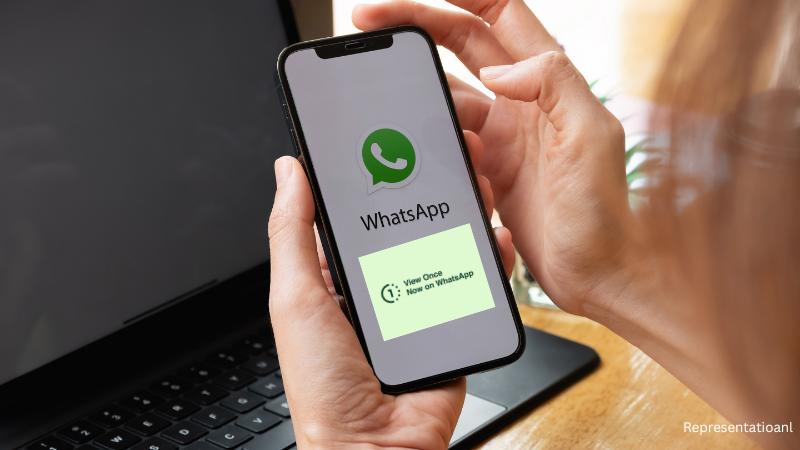
WhatsApp introduced the view once feature in August 2021, giving users the ability to send photos and videos that disappear immediately after being opened once by the recipient. Even after four years, many users remain unaware of its existence or are confused about why they cannot find it on their phones. This privacy-focused feature is simple but powerful, letting you share sensitive media without leaving digital traces.
How to enable the view once option
To use this feature, open a chat and select the photo or video you want to send. On the caption screen, you should see a small circle with the number “1” near the caption field. Tap it to enable view once mode, and a message will confirm the setting. After sending, the recipient can open the file only once. It is not saved to the gallery, cannot be forwarded, and does not appear in backups. Even the sender loses access to it after sending.
Why some phones may not show this option
The view once feature works on most Android and iOS devices, but if your phone is outdated or running an older version of WhatsApp, the option might not appear. Devices with outdated operating systems or unsupported versions of the app may not offer this functionality. Users need to update WhatsApp to the latest version via the Play Store or App Store to access it. Additionally, the feature only works when sending media as photos or videos, not as documents. Forwarded media also does not support this setting. On linked devices like WhatsApp Web, the feature works but may behave differently.
Scope: only within WhatsApp
View once only applies to media shared inside WhatsApp. It is active in both individual and group chats but does not protect content shared outside the app. If a photo is saved and sent through email, social media, or other messaging services, the privacy control is lost. This feature is designed strictly for WhatsApp’s ecosystem.
Pros of WhatsApp view once with explanations
• Enhanced privacy: The media disappears after one view, reducing risks of misuse.• No gallery storage: The file is not stored in the recipient’s gallery, adding extra protection.
• Prevents accidental forwarding: Disappearing files cannot be forwarded, giving the sender more control.
• Cleaner chats and storage: Temporary media keeps chats free from clutter and reduces storage use.
• Encourages controlled sharing: The temporary nature promotes mindful sharing practices.
Cons of WhatsApp view once with explanations
• Screenshots are possible: Recipients can still capture the file using screenshots or recordings without notifying the sender.• Accidental closure means loss: If the recipient closes the file before viewing it completely, it cannot be opened again.
• Sender loses access too: After sending, the sender cannot reopen the file unless it was saved elsewhere.
• No backup availability: The file is not stored in backups, making recovery impossible.
• False sense of security: Privacy is limited because recipients can still use other devices to capture the media.
Even with these drawbacks, WhatsApp view once remains a valuable privacy tool. It limits the permanence of shared content and adds a layer of control that regular media sharing does not offer. However, users must remember it is not foolproof and should not be relied on for highly sensitive information. If you do not see the “1” icon, the solution is often as simple as updating WhatsApp or using a more current device. Outdated phones or unsupported versions may prevent this feature from appearing, which is why many users mistakenly think it is unavailable to them. By understanding how it works, where to find it, and its limitations, users can make the most of WhatsApp view once to communicate securely in today’s digital world.