- globetrotter
- 13 Jan 2025
- #Tips and Tricks
Gmail has long been one of the most widely used free email services, boasting approximately two billion active users globally. Accessing Gmail requires a Google account, which also provides entry to Google services such as Ads, YouTube, and Google Play. Unfortunately, if a Google account is compromised, hackers can gain access to a vast array of sensitive data, including emails, documents, photos, and even financial details. This information can be used to send spam, phishing emails, malicious attachments, or even extort you.
While a hacked account can be alarming, you can regain control and safeguard it from future threats.
Is Your Google Account Compromised?
Google employs strong security measures, but hackers can still infiltrate accounts through stolen credentials from data breaches, phishing emails, malware, or insecure Wi-Fi networks.
Here are some key signs that your Google account may have been hacked:
Sign 1: Changes to Security Settings
If you notice unauthorized changes to your account’s security settings, such as a different recovery phone number, email address, or name, it’s likely your account has been compromised. Additionally, two-factor authentication (2FA) may have been disabled without your consent.
Sign 2: Suspicious Activity
Unusual activity in Google services is another red flag. For example:
- Missing or deleted emails.
- Emails sent from your account that you didn’t compose.
- Unauthorized uploads or profile changes in YouTube.
- Unexpected activity in Google Drive, Photos, or Blogger.
Sign 3: Unauthorized Financial Transactions

A particularly concerning sign is finding unauthorized financial activity linked to Google Pay or Google Play, such as new payment methods being added or unknown purchases.
Sign 4: Security Alerts from Google
Google often sends security alerts to your recovery email or phone number if it detects suspicious activity, such as sign-ins from new devices or blocked attempts to view stored passwords. Be cautious, however, as scammers may send fake alerts. Verify alerts directly through Google’s official channels.
What Should You Do If Your Google Account Is Hacked?
A hacked Google account can lead to severe consequences, especially if financial data is exposed. Taking swift action is crucial:
-
Enable Two-Step Verification (2SV):
Turn on 2SV to add an extra layer of security. This ensures anyone attempting to access your account must provide a second form of verification, such as a passkey or a code sent to your phone. -
Check for Malware:
Hackers may have installed malware on your device to gain access. Perform a security check at Google Security Checkup and use reliable antivirus software to detect and remove any malicious software. -
Review Linked Apps and Services:
Hackers often use compromised accounts to access other services where the same password is used. Update passwords for all linked accounts and enable 2SV where possible. -
Contact Financial Institutions:
Notify your bank or financial institutions if you suspect your account has been used for unauthorized transactions. -
Warn Your Contacts:
Hackers may exploit your account to send phishing scams or malicious links to your contacts. Inform them of the breach and advise caution regarding suspicious messages.
How Can You Recover Your Google Account?
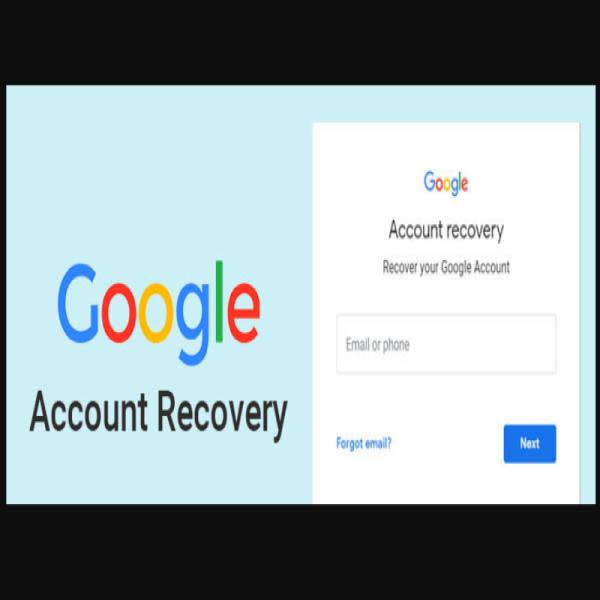
Regaining control of your Google account is usually straightforward if you can still log in. If not, you can recover it through Google’s account recovery process:
- Visit the Google Account Recovery page.
- Use a familiar device and location for verification.
- Provide your recovery email, phone number, and past passwords. Even partial answers to security questions can support your claim.
How Can You Protect Your Google Account From Hackers?
Adopting strong security practices can help safeguard your Google account:
- Keep Recovery Information Updated: Ensure your recovery email and phone number are current.
- Use Strong Passwords: Choose unique passwords with a mix of uppercase and lowercase letters, numbers, and symbols.
- Enable Two-Step Verification: This significantly reduces the chances of unauthorized access.
- Stay Updated: Regularly update your antivirus software, apps, browsers, and operating systems to benefit from the latest security patches.
- Be Cautious Online: Avoid clicking on suspicious links or responding to unsolicited messages.
- Remove Unused Apps or Extensions: Eliminate unnecessary apps and browser extensions that could pose security risks.
Discovering your Google account has been hacked can be stressful, but regaining control is often manageable with prompt action. By following best practices for account security, you can minimize the risk of future breaches.