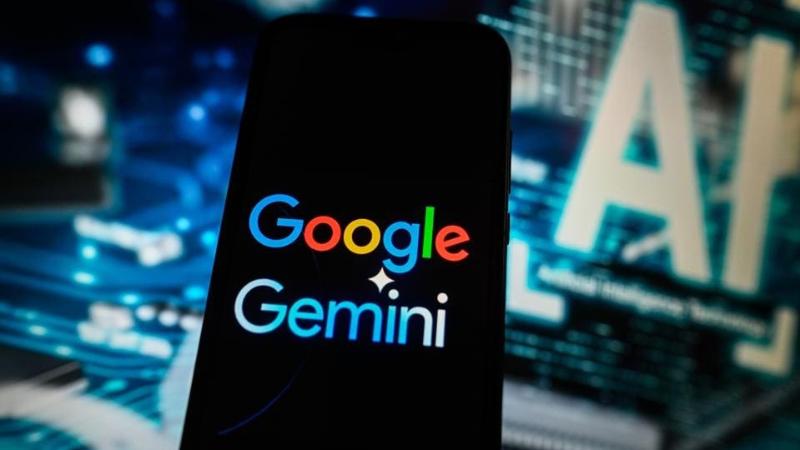
Google is preparing to make some of its most advanced AI tools available to a wider audience. The tech giant recently announced that Gemini Live’s premium features—such as camera-based interaction and real-time screen sharing—will soon be rolled out to all Android smartphones, even those not subscribed to a paid plan. This move, highlighted in a report from 9to5Google, is expected to revolutionize how Android users engage with their devices by bringing smart, interactive assistance into daily smartphone usage. Previously locked behind the Gemini Advanced paywall, these features are currently available to Google Pixel 9 and Samsung Galaxy S25 users who are subscribed to the Google One AI Premium Plan ($20/month). However, in the near future, all devices running Android 10.0 or higher—including tablets and foldables—will be able to access them without paying a dime.
The Power Behind Gemini Live: Project Astra
At the core of these new functionalities is Project Astra, Google’s cutting-edge multimodal AI assistant introduced at MWC 2025. It represents a bold leap forward in AI by blending vision, language understanding, and contextual awareness into a seamless assistant experience. Gemini Live, powered by Project Astra, can now "see" through your device’s camera or screen in real-time and provide intelligent, context-aware responses. Whether you're browsing a webpage, scanning a product, or looking at a document, Gemini Live can understand and respond to what you’re viewing instantly. Google designed this experience to be intuitive. You don’t have to input structured commands—just speak naturally, and Gemini Live takes it from there. In a demo video shared last month, a user pointed the camera at a set of pottery and asked for help choosing a matching paint color. Gemini responded not just accurately, but conversationally, using visual recognition to understand the context.
Using Screen Sharing and Camera Features with Gemini Live
With Gemini Live, users can interact with their device in entirely new ways. Here’s a quick overview of how the upcoming screen sharing and camera features will function:
-
Screen Sharing: You can begin sharing your screen by opening the Gemini overlay and tapping “Share screen with Live.” Once active, a small counter will appear in the status bar beside the time, confirming that screen sharing is in progress. A phone call-style notification helps you track your Live session, and subtle vibrations let you know when Gemini is responding. Users can scroll through apps and websites like normal, while Gemini processes and responds to whatever’s on the screen. To stop sharing, simply pull down the notification shade and tap “Stop sharing.”
-
Camera Interaction: To activate the camera function, launch Gemini Live in full-screen mode and tap the newly added camera icon on the left. This opens a live viewfinder, with an option to switch to the front-facing camera. The AI assistant can recognize objects, provide insights, or answer questions based on what the camera sees. Google recommends keeping hand movements steady for optimal accuracy and ensuring the screen stays active during interaction.
These features are designed to allow users to ask spontaneous, visual-based questions without needing to describe what they see in detail. Whether you’re asking about the nutritional value of food, the identity of a plant, or comparing product specifications from your display, Gemini Live aims to offer real-time, helpful responses.
Compatibility and Future Availability
Currently, these features are reserved for users of the Google Pixel 9 and Samsung Galaxy S25 series enrolled in Gemini Advanced via the Google One AI Premium Plan. But Google has confirmed that compatibility will soon extend to all Android devices running version 10.0 or later. That includes older phones, tablets, and even foldable devices. As this rollout begins, it marks a key milestone in Google’s broader AI strategy—making artificial intelligence more accessible, contextually aware, and integrated into users’ daily lives. The combination of visual recognition and real-time response positions Gemini Live as one of the most practical and powerful AI assistants available today.
In an increasingly visual and fast-paced digital world, these new capabilities signal a shift toward smarter, camera-driven interactions that reduce friction and enhance productivity. Whether you’re troubleshooting an app issue, exploring creative ideas, or simply seeking real-time information about what you see, Gemini Live aims to be your seamless digital companion. As Google continues to refine and expand these tools, Android users everywhere can look forward to a smarter, more interactive future—one where your phone not only hears you but also sees and understands your world.