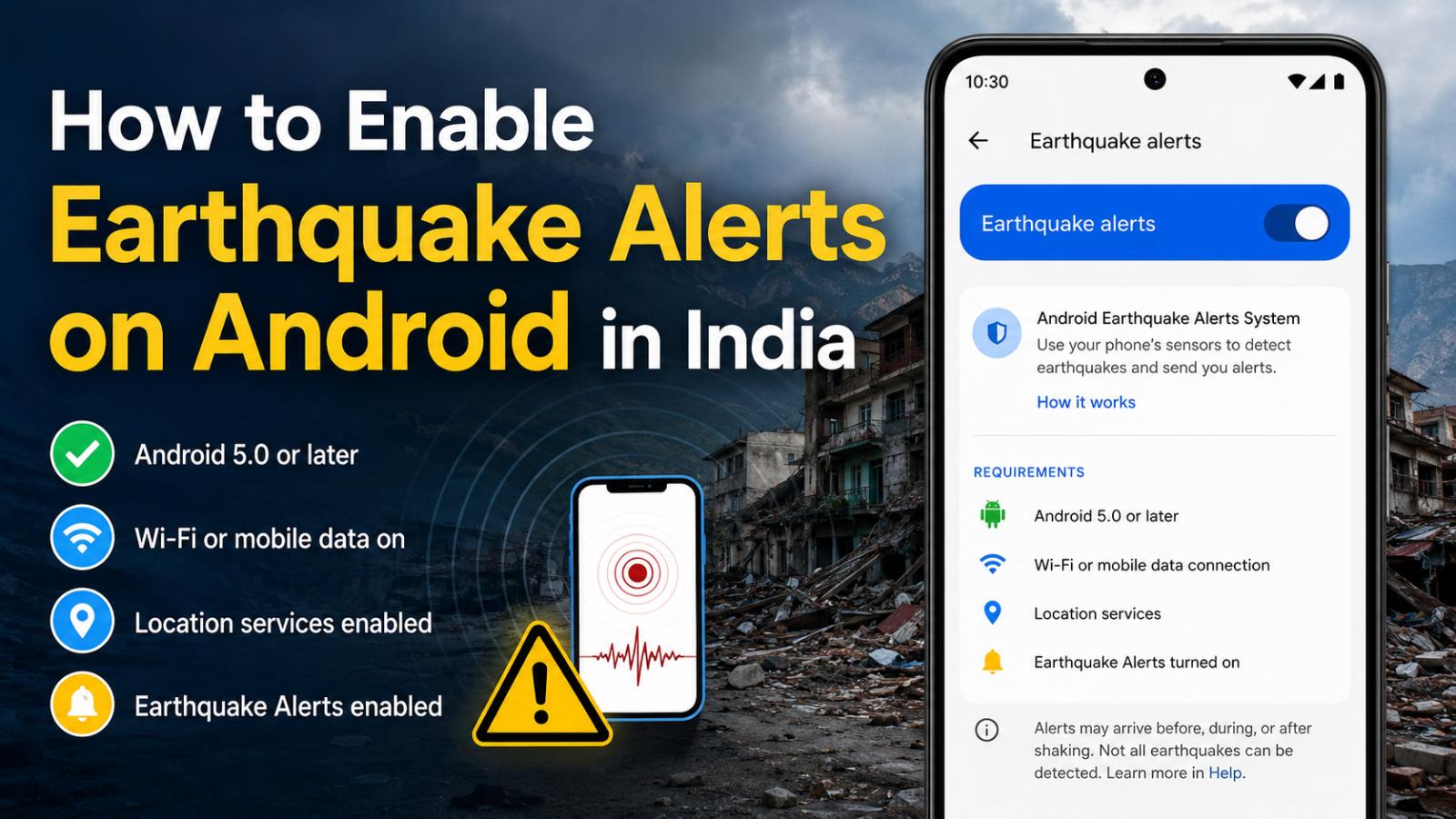
How to enable earthquake alerts on Android in India is a timely question after powerful earthquakes struck Venezuela on Wednesday, June 24, 2026. Android’s warning system can provide some users with seconds of notice after an earthquake begins, although alerts are not guaranteed.
Magnitude 7.2 and 7.5 earthquakes struck western Venezuela at about 6:04 PM and 6:05 PM Venezuela time on Wednesday, June 24, 2026. Reuters reported that the confirmed death toll had reached 589 by Friday, June 26, 2026. The Associated Press reported that many people in Venezuela received alerts through Google’s Android system.
How to Enable Earthquake Alerts on Android in India
Open your phone’s Settings app and search for “Earthquake alerts.” On many Android devices, the option appears under Safety & emergency. Make sure the feature is switched on.
To receive alerts, the phone must have:
- Android 5.0 or later
- Wi-Fi or mobile data turned on
- Location services enabled
- Earthquake Alerts enabled
Google introduced the Android Earthquake Alerts System in India in September 2023 after consultation with the National Disaster Management Authority and the National Centre for Seismology.
How Android Phones Detect Earthquakes
Android phones contain accelerometers that can detect movement. When several plugged-in and charging phones in one area register similar shaking, Google’s servers analyze the signals to estimate an earthquake’s location and magnitude.
Because internet signals travel faster than damaging seismic waves, people farther from the epicenter may receive an alert before strong shaking arrives. People close to the source may receive little warning, or the alert may arrive during or after shaking begins.
The system does not predict earthquakes. Google says it is a supplemental service, and not every earthquake can be detected or generate an alert.
Google Search may also show recent earthquake information and safety guidance when users search for terms such as “earthquake near me.” During strong shaking, follow official local instructions and drop, cover and hold on when it is safe to do so.
For Android users in India, checking the setting before an emergency is a simple preparedness step that could provide valuable seconds to move away from windows, take cover or stop a hazardous activity.